• Contact
  • 888-54-FIRST
  • Client Login
    • Client Portal
    • Online Store
Search
First Healthcare Compliance
  • Solutions
    • Compliance Management Software
    • Online Compliance Courses
    • Compliance Management Suite
  • Plans
  • Resources
    • Blog
    • Virtual Education Hub
    • 1st Talk Compliance Podcast
    • Connect Magazine
    • Compliance Posters
    • Healthcare Compliance Books
    • Newsletter Signup
  • News & Events
    • Press Releases
  • Our Team
  • Request Demo
  • Menu Menu
  • Shopping Cart Shopping Cart
    0Shopping Cart

Blog

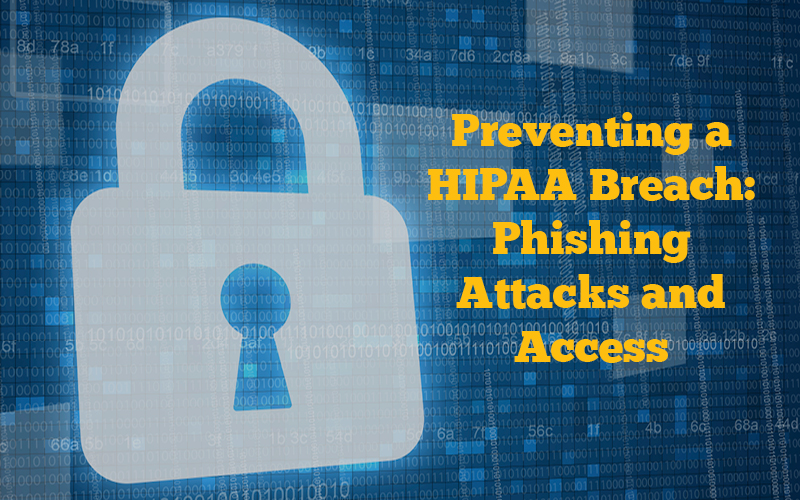
Preventing a HIPAA Breach – Phishing Attacks and Access

January 11, 2018/in Blog, HIPAA

Your organization’s security risk analysis and security awareness training are the best defense against nefarious cyber criminals.  In reviewing breaches from 2017, cyberattacks with ransomware brought organizations to a standstill if they lacked a pre-emptive back-up plan for the data hostage situation; a few had no choice but to succumb to the hackers’ payment demands. When healthcare entities were the intended ransomware targets, breach of protected health information (PHI) was not their only concern— the delivery of patient care was significantly altered or even completely blocked. To mitigate your organization’s potential security risks for 2018, specific areas to address must include your staff’s awareness of phishing emails and proper termination procedures for employee access, if necessary.


As part of security awareness training, your staff must understand the potentially disastrous effects of phishing emails. Tips on detection of phishing emails should include methods of reporting to prevent other employees from possibly falling victim to the same scam. One notable scheme in 2017 involved a fake survey sent to employees’ emails at a healthcare center. Hackers gained access to the accounts of those employees who submitted the survey and were able to re-direct the employees’ paychecks into the hacker’s bank account.  During the investigation, it was also determined that the email accounts contained patients’ PHI.  Although uncertain if the hacker actually accessed the PHI, the HIPAA breach notification protocol had to be followed, including costly identity theft monitoring for those affected.


Knowledge of common phishing email schemes will help staff realize how sneaky the cybercriminals can be.  Simply clicking on a link, attachment or just opening an email may allow the hacker to insert malware, ransomware or a virus.  Employees should exercise caution if they receive an email letter from their CEO or another executive in the organization even when appropriate logos are present. An email containing multiple misspellings or poor word structure should always give pause.  An email request for password information should be a glaring red flag.  Staff should always avoid URLs beginning with http://. The S in https:// stands for “secure”, encrypting the data exchange to prevent others from eavesdropping on the computer communication.  Any URLs lacking the domain name of the specific organization immediately following the https:// are also suspect.


Termination of employee access may be necessary to maintain the security of the organization. Access must be terminated immediately upon employee termination.  While a breach may result from a current employee’s malicious intent,  other breaches have been attributed to unauthorized access by prior workforce members whose access was not appropriately terminated. In November 2017, the Office for Civil Rights (OCR) issued guidance on how to terminate electronic and physical access when an employee quits or is terminated. A few of the key steps include the following: notification of the IT department or security official; deactivation or deletion of user accounts; retrieval of all remote devices; and erasure of any ePHI on personal devices. Procedures should also be in place for any changes to employee job descriptions and how the level of access should be altered to reflect the new job classification.


Unfortunately, many of these cyberattacks on the healthcare industry were not easily prevented such as the multiple attacks by the infamous TheDarkOverlord (TDO).  Due to the serious ramifications of ransomware attacks on healthcare facilities, the OCR issued guidance on what to do in this hostage situation. The following processes are recommended for security incident procedures:

  • detect and conduct an initial analysis of the ransomware;
  • contain the impact and propagation of the ransomware;
  • eradicate the instances of ransomware and mitigate or remediate vulnerabilities that permitted the ransomware attack and propagation;
  • recover from the ransomware attack by restoring data lost during the attack and returning to “business as usual” operations; and
  • conduct post-incident activities, which could include a deeper analysis of the evidence to determine if the entity has any regulatory, contractual or other obligations as a result of the incident (such as providing notification of a breach of PHI), and incorporating any lessons learned into the overall security management process of the entity to improve incident response effectiveness for future security incidents.


Since it’s that time of year to report all breaches affecting under 500 individuals, be sure corrective action has been implemented in your organization to prevent any possible recurrences. Most importantly, your employees must be aware of any changes to your security policies and procedures for 2018.
Tags: Breach, criminal, defense, email, employee, HIPAA, HIPPA, hostage, password, PHI, phishing, ransom ware, ransomware, scheme, Security
Share this
  • Share on Facebook
  • Share on X
  • Share on LinkedIn
  • Share on Reddit
  • Share by Mail
https://1sthcc.com/wp-content/uploads/2018/01/HIPAA-Phishing.jpg 500 800 First Healthcare Compliance Staff https://1sthcc.com/wp-content/uploads/2022/10/1sthcc-logo-1024x378.jpg First Healthcare Compliance Staff2018-01-11 12:00:002025-04-15 12:54:43Preventing a HIPAA Breach – Phishing Attacks and Access
You might also like
Billing for “Incident-to” Services: Preparing for OIG Review
Infographic: 6 Areas of Potential Liability for Healthcare Providers 6 Areas of Potential Liability for Healthcare Providers
Causes vs. Reasons for Data Breaches Infographic: Causes vs. Reasons for Data Breaches
Is Texting Patient Information Part of Your Practice?
Compliance Check Up for Physicians
Have a Breach? Reporting Requirements with the OCR

Subscribe to Weekly eNewsletter

Get the latest healthcare compliance updates straight to your inbox.

Subscribe to Newsletter

Recent Posts

  • OSHA Recordkeeping in Healthcare: Answers to Frequently Asked Questions
  • Naughty or Nice? The Rules of Giving and Receiving in Healthcare
  • fraud waste abuse healthcare compliance
    FWA in Healthcare: How to Respond Appropriately to Detected Offenses
  • Infographic: 6 Areas of Potential Liability for Healthcare Providers
    6 Areas of Potential Liability for Healthcare Providers
  • 5 Benefits of Automating Incident Reporting in Healthcare
  • Compliance Primer Series: Fraud, Waste and Abuse


First Healthcare Compliance is a division of Panacea Healthcare Solutions. Learn more

Subscribe

Get the latest healthcare compliance updates straight to your inbox.

Subscribe to Newsletter

Connect

Get started: Request Demo

Call: 1-888-54-FIRST

E-mail: Contact us

  • Link to Instagram
  • Link to Youtube
  • Link to Facebook
  • Link to LinkedIn
  • Link to X
© Copyright 2026 Panacea Healthcare Solutions, LLC | Disclaimer | Privacy Policy and Copyright Notice
Scroll to top Scroll to top Scroll to top

We and our third-party partners use cookies to improve and personalize your experience on the site and with our services in addition to delivering and reporting on ads. Please visit our Privacy Statement for more information. By continuing to browse the site, you are agreeing to our use of cookies. Read Privacy Statement.

OKDismiss

Cookie and Privacy Settings


How we use cookies

We may request cookies to be set on your device. We use cookies to let us know when you visit our websites, how you interact with us, to enrich your user experience, and to customize your relationship with our website.

Click on the different category headings to find out more. You can also change some of your preferences. Note that blocking some types of cookies may impact your experience on our websites and the services we are able to offer.

Essential Website Cookies

These cookies are strictly necessary to provide you with services available through our website and to use some of its features.

Because these cookies are strictly necessary to deliver the website, refusing them will have impact how our site functions. You always can block or delete cookies by changing your browser settings and force blocking all cookies on this website. But this will always prompt you to accept/refuse cookies when revisiting our site.

We fully respect if you want to refuse cookies but to avoid asking you again and again kindly allow us to store a cookie for that. You are free to opt out any time or opt in for other cookies to get a better experience. If you refuse cookies we will remove all set cookies in our domain.

We provide you with a list of stored cookies on your computer in our domain so you can check what we stored. Due to security reasons we are not able to show or modify cookies from other domains. You can check these in your browser security settings.

Other external services

We also use different external services like Google Webfonts, Google Maps, and external Video providers. Since these providers may collect personal data like your IP address we allow you to block them here. Please be aware that this might heavily reduce the functionality and appearance of our site. Changes will take effect once you reload the page.

Google Webfont Settings:

Google Map Settings:

Google reCaptcha Settings:

Vimeo and Youtube video embeds:

Privacy Policy

You can read about our cookies and privacy settings in detail on our Privacy Policy Page.

Privacy Policy and Copyright Notice
Accept settingsHide notification only